

Business key control Phoenix procedures help offices, stores, warehouses, and service businesses know who can enter each area and which keys remain outstanding. A useful system does more than store keys in a drawer. It identifies every key, limits duplication, records assignments, defines return rules, and creates a clear response when access changes.
Why Business Key Control Matters in Phoenix
Commercial properties often have several access points, changing schedules, contractors, delivery areas, storage rooms, offices, and restricted spaces. Without a documented process, managers may not know how many keys exist or who still has them. A business key control Phoenix review connects the physical locks with daily operating procedures.
The goal is not to give every employee the same key. Access should match job responsibilities. A receptionist may need the main entrance and office, while a stock manager may need receiving and storage access. Separating permissions can reduce unnecessary exposure and make changes easier to manage.
For broader planning, the U.S. Cybersecurity and Infrastructure Security Agency provides general information about physical security. Businesses should adapt policies to their facility, operations, lease requirements, and applicable regulations.
10 Business Key Control Phoenix Steps
1. Inventory Every Door and Lock
Create a list of exterior doors, interior offices, stockrooms, server or utility rooms, display cases, gates, cabinets, and other keyed openings. Record the lock type, keyway, condition, and purpose. This inventory provides a baseline for decisions about rekeying, repair, or replacement.
2. Assign a Unique Identifier to Each Key
Use a number or internal code rather than writing the property name, door, or address on the tag. The identifier should connect to a secure record that authorized managers can interpret. Avoid labels that immediately reveal where a lost key works.
3. Document Who Receives Each Key
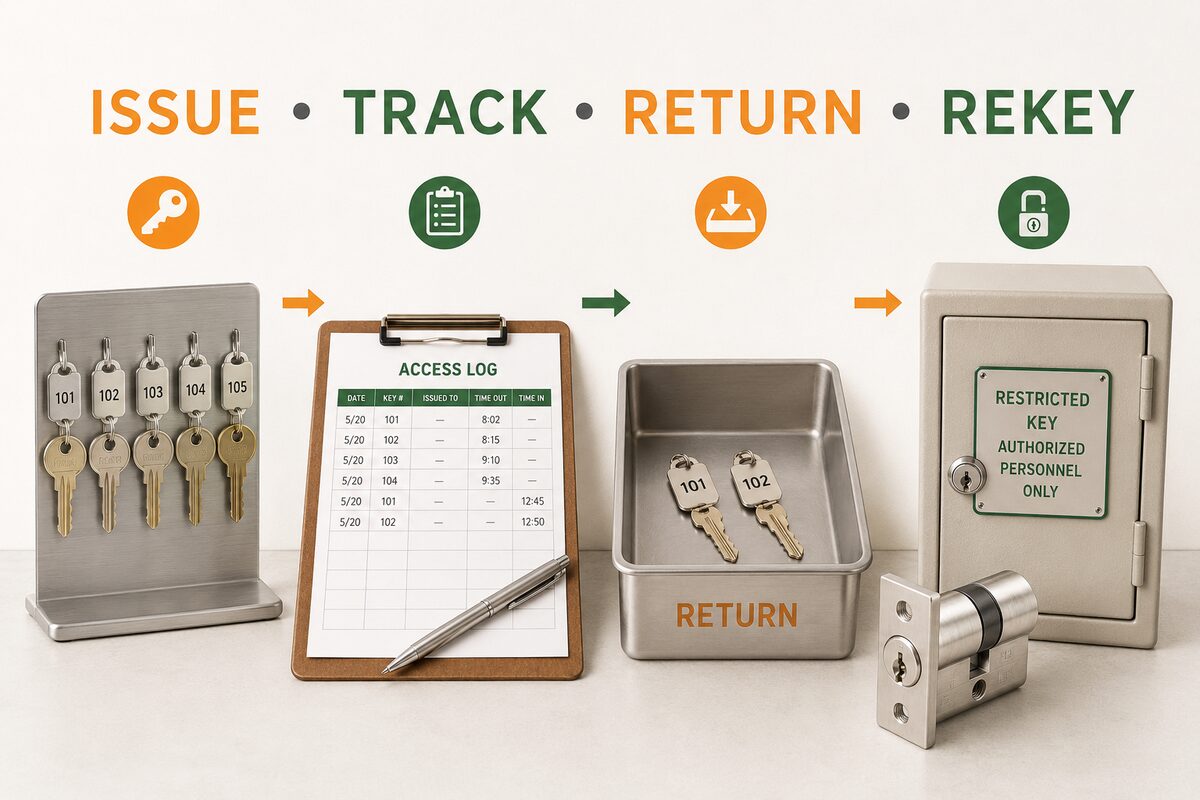
Record the employee or contractor name, key identifier, issue date, authorized areas, and expected return condition. The employee should acknowledge receipt according to the company’s policy. A business key control Phoenix log can be digital or paper-based, but it must be current and restricted to appropriate personnel.
4. Limit Keys According to Job Responsibilities
Issue only the access needed for the person’s role. Review whether a single key, several individual keys, or an approved master-key structure is appropriate. Excessive master-key distribution can make a lost key more consequential.
5. Establish Duplication Rules
Employees should know whether copying keys is prohibited and who can authorize additional copies. Some commercial systems use restricted or controlled keyways with specific duplication procedures. A stamped warning alone does not automatically create a controlled system, so confirm how the installed keyway is managed.
6. Store Unassigned Keys Securely
Keep spare, override, and master keys in a locked key cabinet or another access-controlled location. Limit who can open it and document withdrawals. Do not store an identifying floor plan, address, and complete key set together where unauthorized users could access them.
7. Require Prompt Reporting of Missing Keys
The policy should explain whom to contact and what information to provide when a key cannot be located. Managers need the key identifier, affected doors, last known holder, and surrounding circumstances. The response may differ for an interior supply-room key and a master key that operates several exterior doors.
8. Collect Keys During Role Changes and Departures
Key return should be part of an employee transfer, leave, termination, or contractor closeout checklist. Confirm the identifiers instead of simply counting returned keys. If a key remains unaccounted for, assess the affected access before deciding whether commercial rekeying is appropriate.
9. Audit the Key Log Regularly
Compare the log with physical keys, current personnel, and active access permissions. Investigate missing signatures, duplicate identifiers, departed employees, and doors that no longer match the documented key plan. A periodic business key control Phoenix audit can reveal small recordkeeping problems before they become larger access issues.
10. Define When to Rekey or Replace Hardware
Rekeying changes which keys operate an existing compatible cylinder. Replacement may be considered when hardware is damaged, obsolete, incompatible with the access plan, or unsuitable for the door. The decision should account for door condition, code requirements, key hierarchy, and the number of affected users.
Commercial Key Control Record
| Record Field | What to Document | Why It Matters |
|---|---|---|
| Key identifier | Internal number or code | Connects the physical key to its record |
| Authorized holder | Employee, vendor, or manager | Shows responsibility and active access |
| Doors or areas | Approved access scope | Supports role-based permissions |
| Issue and return dates | Transaction history | Identifies outstanding keys |
| Status | Active, returned, lost, or retired | Supports incident response and audits |
When a Master Key System May Help
A master-key system can organize several permission levels while allowing selected managers to access multiple areas. It should be planned carefully because each higher-level key can operate more doors. The system should document change keys, master keys, authorized holders, and expansion rules.
Do not assume a master-key system is required for every business. A small office may be better served by a simpler key plan, while a multi-tenant or multi-department property may need a formal hierarchy. Review the number of doors, staff roles, turnover patterns, and emergency access needs before choosing the structure.
When Electronic Access May Be Appropriate
Electronic credentials can provide features such as scheduled access, individual identifiers, and faster credential removal. They also require power, administration, compatible door hardware, and a plan for system failure. Mechanical keys often remain part of the backup strategy.
A business should compare ongoing administration, door compatibility, access needs, and recordkeeping requirements. Electronic access does not replace physical inspection of the door, frame, latch, closer, strike, and emergency egress hardware.
Warning Signs That the Current System Needs Review
- No complete list of keys or keyed doors exists.
- Keys are labeled with the business name or address.
- Former employees may still possess working keys.
- Master keys are widely distributed.
- Spare keys are stored in an unlocked desk or cabinet.
- Employees make copies without documented approval.
- Locks were changed individually without updating the key plan.
- Keys bind, bend, or operate inconsistently.
- The business cannot identify which doors a missing key opens.
When these conditions appear, request a structured business key control Phoenix assessment. West Phoenix Locksmith provides information about commercial locksmith services, including lock inspection, rekeying, repair, and compatible hardware options.
Final Thoughts
Effective business key control Phoenix procedures combine accurate records, limited permissions, secure storage, prompt returns, and a defined response to missing keys. The system should reflect how the business actually operates and should be reviewed whenever personnel, tenants, doors, or access needs change.
Start with a door and key inventory, assign identifiers, document every issue and return, and decide in advance who can authorize duplication or rekeying. If the existing hardware no longer supports the access plan, review commercial door lock installation options after the cause and requirements are confirmed.
Business Key Control Phoenix FAQs
What is business key control?
It is the process of identifying keys, limiting who receives them, recording assignments, controlling duplication, securing spares, and responding to lost or unreturned keys.
What information belongs in a commercial key log?
Include the key identifier, authorized holder, approved areas, issue date, return date, status, and authorization record.
Should a business label keys with door names?
Use internal identifiers instead of obvious property or door names. The secure record can explain where each coded key works.
When should a business rekey its locks?
Consider rekeying after unreturned or missing keys, occupancy changes, unauthorized copies, or changes to access permissions. First identify which doors and cylinders are affected.
Is rekeying the same as replacing a lock?
No. Rekeying changes which key operates a compatible cylinder. Replacement installs different hardware and may be appropriate when the existing lock is damaged or unsuitable.
Who should have a master key?
Only personnel whose responsibilities require broad access should receive one. Each assignment should be documented and reviewed regularly.
Can employees duplicate commercial keys?
The business should establish a written authorization process. Some controlled keyways also have specific duplication procedures that must be followed.
How often should the key inventory be reviewed?
Review it on a regular schedule and whenever staffing, contractors, tenants, doors, or access permissions change.
Are electronic credentials better than physical keys?
They offer different administrative features but require compatible hardware, power, management, and backup planning. The best choice depends on the facility and access needs.
How do I request commercial key-control assistance in Phoenix?
Call West Phoenix Locksmith at (623) 258-4648. Provide the property type, number of doors, current key concerns, and the access changes being considered.
Request Commercial Locksmith Assistance
For help with business key control in Phoenix, call West Phoenix Locksmith at (623) 258-4648, email info@westphoenix-locksmith.com, or use the contact page.