

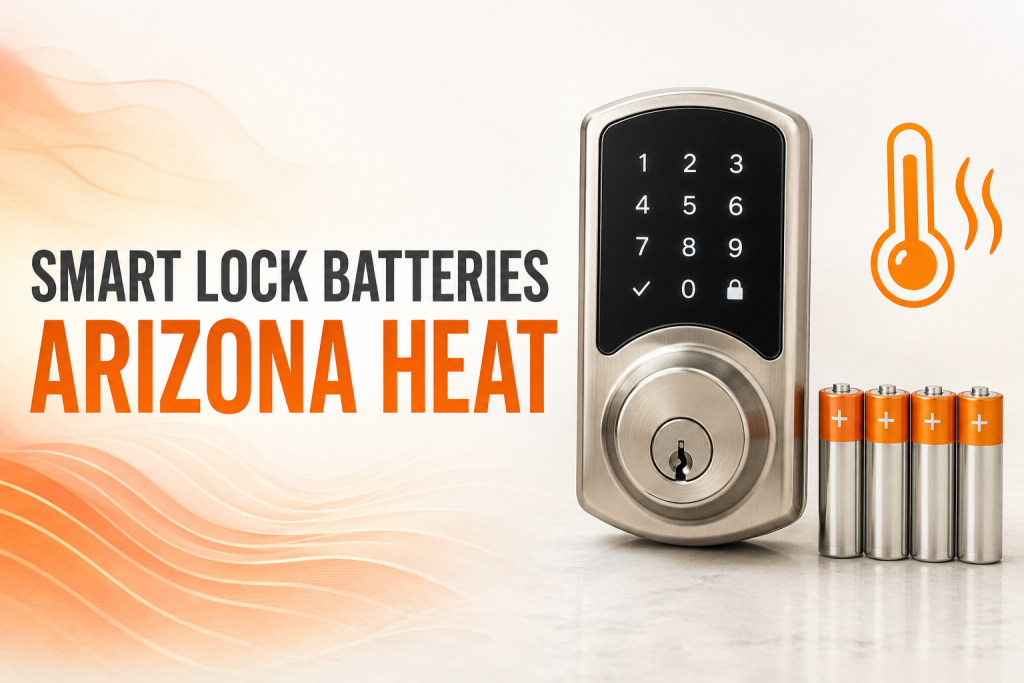
Keyless entry installation in Phoenix gives homeowners and businesses a practical way to control access without relying only on traditional keys. A properly selected system can provide PIN codes, mobile credentials, activity records, temporary access and integration with other security tools. However, the lock must fit the door, withstand local conditions and support the way the property is actually used.
This guide explains the main smart lock options, compatibility requirements, installation steps, costs and security decisions that matter before upgrading a residential or commercial door in Phoenix.
What is a smart lock?
A smart lock is an electronic locking device that can be operated through a keypad, smartphone, card, fob or connected access-control platform. Many models retain a mechanical key override, while others are completely keyless. The best choice depends on the door, the number of users, the desired audit trail and the consequences of a power or network interruption.
Benefits of keyless entry installation in Phoenix
- Flexible access: create individual or temporary codes for family members, employees, vendors and guests.
- Fewer key problems: reduce the need to distribute, recover or replace physical keys.
- Activity visibility: compatible systems can record when authorized credentials are used.
- Remote management: selected connected locks allow authorized users to manage access from an app.
- Easy credential changes: remove a code or digital credential without replacing the complete lock.
Smart lock types compared
| Lock type | Best suited for | Main consideration |
|---|---|---|
| Keypad deadbolt | Homes and small offices | Simple code management and battery maintenance |
| Bluetooth smart lock | Local phone-based access | Phone compatibility and operating range |
| Wi-Fi connected lock | Remote access management | Network security and reliable connectivity |
| Commercial electronic lever | Offices, clinics and retail spaces | Door preparation, traffic and code compliance |
| Access-control reader | Multi-door business systems | Wiring, credentials, software and egress |
Seven checks before choosing a smart lock
1. Identify the door and existing hardware
Confirm whether the door is wood, hollow metal, aluminum storefront or another construction. Measure its thickness, backset, bore pattern and handing. A smart deadbolt designed for a residential wood door may not fit a commercial aluminum entrance.
2. Inspect door alignment
An electronic motor should not have to force a bolt into a misaligned strike. Sagging hinges, weather seals, a warped door or a damaged frame can cause battery drain and unreliable locking. Correct mechanical problems before installation.
3. Define who needs access
A household may need a few permanent and temporary codes. A business may require dozens of users, schedules, reporting and immediate credential removal. Choose a system with enough capacity and clear administrator controls.
4. Plan for Phoenix heat
Exterior hardware receives intense sunlight and high temperatures. Select equipment rated for the installation location and protect batteries and electronic components according to the manufacturer’s instructions. Door expansion can also change alignment during the hottest part of the day.
5. Decide how the lock works offline
Understand what happens if Wi-Fi, power or the mobile app is unavailable. Confirm whether local codes, a physical key, backup power contacts or another approved method will provide access.
6. Review privacy and account security
Use unique passwords and multifactor authentication when available. Restrict administrator privileges, remove former users promptly and keep the app and lock firmware updated.
7. Confirm life-safety requirements
Commercial doors, fire-rated openings and required exits may need listed hardware and specific egress functions. Electronic access from the outside must never prevent required free exit from the inside.
How professional installation works
A locksmith begins by inspecting the door, frame, hinges, strike and current lock. After confirming compatibility, the installer removes or adapts the existing hardware, prepares mounting points, installs the electronic and mechanical components, aligns the bolt or latch and configures administrator access.
The final test should include locking and unlocking from both sides, closing from different angles, manual override, low-battery behavior and every authorized credential method. Business installations may also require coordination with door closers, panic hardware, alarms or access-control wiring.
Common smart lock installation mistakes
- Buying a lock before measuring the door and backset.
- Installing electronic hardware on a door that already binds or sags.
- Using residential equipment on a high-traffic commercial opening.
- Leaving default administrator codes or sharing one credential with everyone.
- Ignoring the mechanical key override until an emergency occurs.
- Connecting a device to an unsecured network.
- Failing to document codes, permissions and maintenance responsibilities.
Smart locks for homes
Residential smart locks are useful for front doors, side entrances, rental properties and doors used by caregivers or service providers. Temporary credentials can be more controlled than hiding a spare key. Homeowners should still evaluate the strike, screws, door construction and surrounding glass because a smart interface cannot compensate for weak physical hardware.
Smart locks for businesses
Commercial properties often need greater durability, user capacity and reporting. Offices may benefit from scheduled access, while retail locations may need rapid credential removal after staffing changes. Property managers should consider how the system scales across several doors and whether emergency exit, accessibility or fire-rating rules apply.
What affects smart lock installation cost?
Price depends on the lock type, door material, existing preparation, alignment repairs, number of openings, connectivity features and access-control integration. A straightforward keypad deadbolt replacement normally requires less work than an electrified commercial opening with wiring and software configuration.
A useful estimate should identify the hardware, installation labor, necessary door repairs, setup, testing and warranty. Comparing complete compatible solutions is more reliable than comparing device prices alone.
Maintenance checklist
- Replace batteries before the low-battery period becomes critical.
- Test every access method and the mechanical override.
- Inspect the strike, hinges and door alignment.
- Remove credentials that are no longer needed.
- Review administrator accounts and security settings.
- Install approved firmware and app updates.
- Request service if the motor strains, the latch sticks or the lock behaves inconsistently.
For general connected-device security guidance, consult the CISA Secure Our World resources.
When to schedule keyless entry installation in Phoenix
Consider keyless entry installation in Phoenix when employee access changes frequently, temporary visitor access is needed or traditional keys are becoming difficult to control. For homes, keyless entry installation in Phoenix can simplify access for family members and trusted service providers.
Before approving keyless entry installation in Phoenix, verify the door condition, credential plan, backup access and hardware rating.
Upgrade your access with confidence
West Phoenix Locksmith can inspect your door, recommend compatible electronic hardware and complete a reliable smart lock installation for your Phoenix property.
Better access starts with the right fit
A successful keyless entry installation in Phoenix combines suitable hardware, accurate door preparation, secure account management and a dependable backup plan. When the complete opening is evaluated first, smart access can improve convenience without sacrificing everyday reliability.
Frequently asked questions
Can a smart lock be installed on any door?
Will a smart lock work if Wi-Fi goes down?
How often do smart lock batteries need replacement?
Are smart locks secure for businesses?
Can I keep a physical key backup?
Explore our locksmith services in Phoenix.
How long does keyless entry installation usually take?
The time depends on the door, existing hardware, required preparation and system complexity. An inspection provides the most accurate estimate.
Can existing hardware be reused during keyless entry installation?
Sometimes. A locksmith should confirm that each component is compatible, undamaged and appropriate for the intended security level.
Should keyless entry installation be handled by a professional locksmith?
Professional service helps ensure correct fit, alignment, safe operation and compatibility with the complete door or access system.
What should I prepare before scheduling keyless entry installation?
Provide photos when possible, describe the problem, identify the door or lock type and make sure an authorized representative can provide access.
How can I maintain the results after keyless entry installation?
Test operation regularly, keep the area clean, address alignment problems early and schedule service when performance changes.